
· Matthias Berger
Analyse Movebank Data in R Without Internet
"At the field station, no internet, and the script starts with movebank_download_study()."
Most R analyses of Movebank data begin the same way: move2 (or the older move) asks movebank.org for the study and waits. That needs a connection, it downloads the whole study again on every run, and it means your analysis reads whatever is on Movebank today, not what you analysed last month.
In this series we built the pieces to change that. Part 1 keeps a copy of your studies on your own disk. Part 2 answers Movebank's API from that copy. This post points your R scripts at it.
The result first
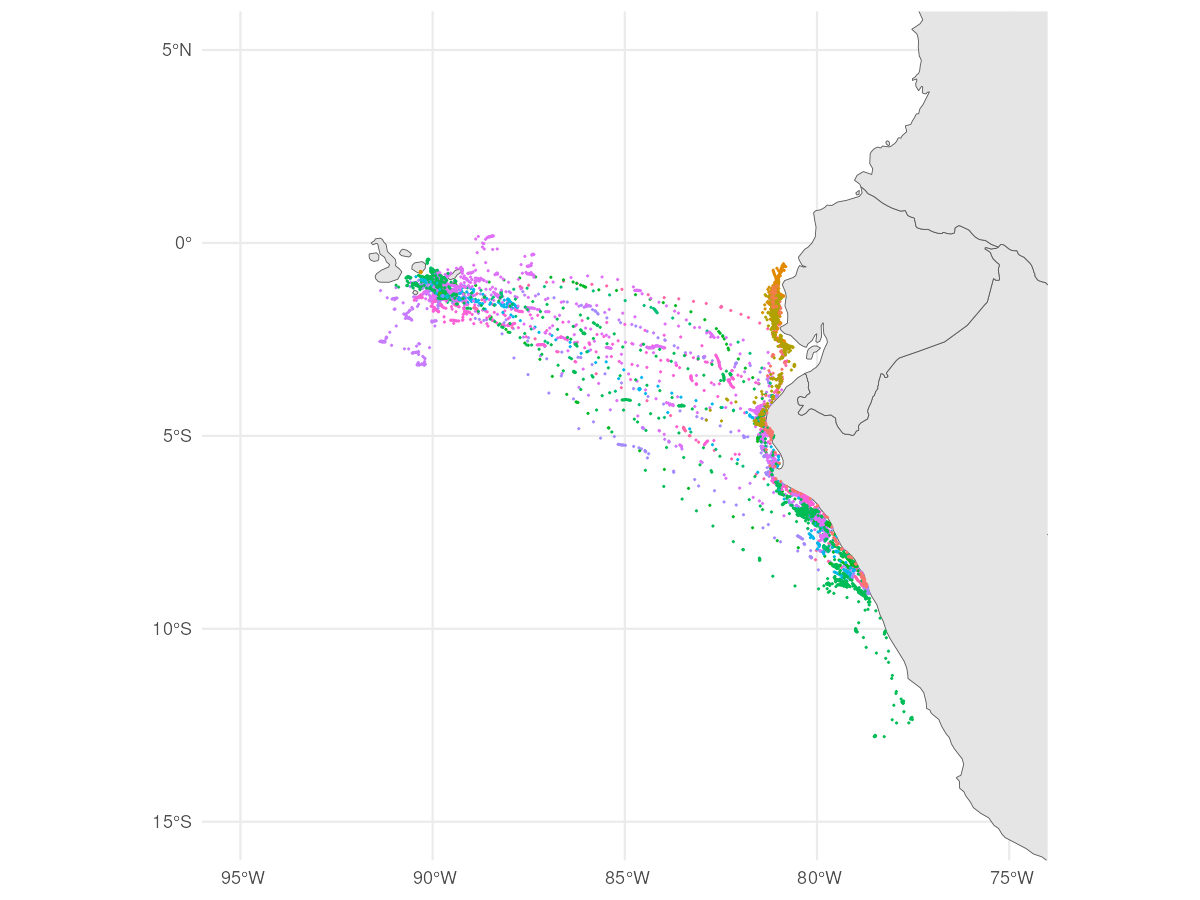
114,929 locations of 28 Galapagos albatrosses (study 2911040, licence CC0), downloaded with move2 from the local mirror and plotted with ggplot2. This is the whole script:
library(move2); library(ggplot2); library(sf); library(rnaturalearth)

albatrosses <- movebank_download_study(2911040)

ggplot() +
  geom_sf(data = ne_countries(scale = "medium", returnclass = "sf"), fill = "grey90") +
  geom_sf(data = albatrosses, aes(color = factor(mt_track_id(albatrosses))), size = 0.1) +
  coord_sf(xlim = c(-95, -75), ylim = c(-15, 5)) +
  guides(color = "none") + theme_minimal()
Nothing in it knows about the mirror. It is the script you would write against movebank.org.
move2: one setting
move2 reads the address of the Movebank API from an option. Point it at the mirror server from part 2, after loading the package (move2 resets the option when it loads):
library(move2)
options(move2_movebank_api_url = "http://localhost:8080/movebank/service/direct-read")
Everything after that line stays as it is: movebank_download_study(), movebank_retrieve(), your filters and plots. If you already use move2 with Movebank, it still sends your stored credentials; the mirror simply ignores them.
move: a small shim
The older move package has movebank.org built into its code, with no option to change it. A short helper script, url_shim.R, redirects its requests:
source("url_shim.R")
library(move)

login <- movebankLogin(username = "ignored", password = "ignored")
override_url(login, "http://localhost:8080/movebank")

study <- getMovebankData(study = 2911040, login = login)
plot(study, col = rainbow(n.indiv(study)), pch = ".")
To be honest about it: the shim reaches into move's internals, so a future move release could break it. For new work, move2 is the better choice anyway.
Or skip the setup
movebank-rocker is a ready-made R environment in Docker: RStudio in the browser, move, move2, sf, moveVis and friends, and the move2 setting already in place. With the mirror server from part 2 running on your machine (Linux):
docker run -d --network=host -e DISABLE_AUTH=true \
  -e MOVEBANK_MIRROR_API_URL=http://localhost:8080/movebank \
  mcb77/movebank-rocker:v0.1.0
Then open http://localhost:8787. On macOS and Windows the command differs slightly; the demo instructions have both.
Does it really behave like Movebank?
Before every release, both packages run a fixed set of calls against the mirror: the list of studies, a study's individuals, its sensors and the full download. With movebank-mirror-api 0.0.3, move2 0.4.4 and move 4.2.6 pass all four. Part 2 explains how close the answers are to Movebank's.
One thing you may run into, and it's not the mirror: if a tag recorded the same fix twice (same time, two event ids), move::getMovebankData() stops with "The data set includes double timestamps per ID". It does the same against movebank.org, because the duplicate is in the data. getMovebankData(..., removeDuplicatedTimestamps = TRUE) drops them; move2 accepts such studies as they are.
Why bother?
- Offline: field stations, ships, trains, planes.
- Reproducible: your copy changes only when you sync it, so the analysis you rerun is the one you ran.
- Fast: a local download takes seconds, so you can rerun often while you develop.
- Kind to Movebank: your fifth test run of the day doesn't reach their servers.
Your copy holds studies you were allowed to download, under the terms you accepted; working offline doesn't change those terms.
What's Next?
That completes the setup: a copy on your disk, an API in front of it, your R scripts on top. If you try it on your own studies, we'd like to hear how it goes, especially where it doesn't behave like Movebank.
Building your own tracking database instead? Our series Basics of Animal Tracking Databases starts with the data model. Questions or a use case we haven't thought of? Get in touch.
About the Author
Matthias Berger has been a key member of the Movebank Development Team since its inception in 2008, contributing to the advancement of animal tracking databases and supporting researchers worldwide.