Working with local data
Often, datasets persists on your local hard drive. Firetail supports a range of formats to be loaded via the file menu:
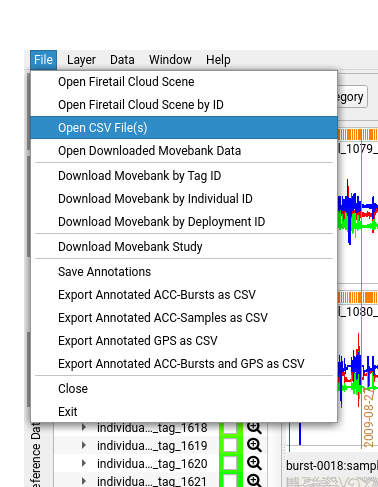
Firetail 4 unifies loading of Movebank data and e-obs data via the new
File > Open CSV...
menu entry.
When selecting datasets you may also select multiple files at once (shift select). These datasets will be opened in one viewport.
Overview of supported data
| Data Type | origin | contains | common extension | from FT Version |
|---|---|---|---|---|
| GPS | Movebank | lat/lon | -gps.txt | 1 |
| GPS | e-obs | lat/lon | -gps.txt | 1 |
| GPS | Ornitela | lat/lon | via movebank | 5 |
| GPS | Technosmart | lat/lon | .csv | 5 |
| GPS | Vectronics | lat/lon | -gps.csv | 5 (experimental) |
| Reference Data | Movebank | categorial/numeric | -reference-data.csv | 4 |
| ACC | e-obs | bursts | -acc.txt | 1 |
| ACC | Ornitela | gps-coupled/plain | via movebank | 5 |
| ACC | Technosmart | gps-coupled/bursts | - | 5 |
| ACC | Vectronics | - | binv2 | 5 (experimental) |
| ECG | e-obs | - | -ecg.txt | 4 |
| Magnetic | e-obs | - | -ecg.txt | 3 |
| Quaternion | e-obs | - | -quat.txt | 3 |
| ACC Annotations | Firetail | tabular | annotations2.csv | 4 |
E-OBS Datasets
Tags by e-obs offer state-of-the-art solutions to animal tracking. Data gathered from
these tags can be imported directly into Firetail using File > Open E-OBS Files.
E-obs and related modern tags feature a wide range of sensor data (see Event data) that Firetail can show fully synchronized.
Given data from an IMU (inertial measurement unit) is present, Firetail offers a visualization option to show the spatial orientation of the e-obs tracking device. See also Acceleration Data.
Technosmart Datasets
Starting with Firetail 5 some of the most widespread Technosmart tags are supported:
- Axy-Trek
- Axy-5
Loading Movebank CSV data
Movebank data can be imported directly via our API interface.
Loading local CSVs is possible via File > Open Movebank CSV File.
See also: Movebank data
Previous downloads
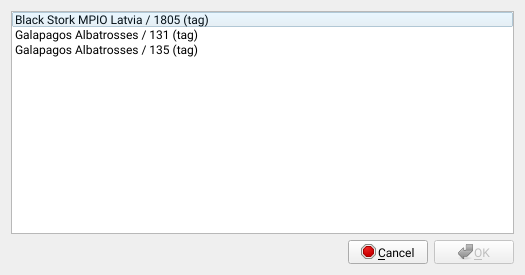
Data that has been downloaded previously via the Movebank data can be accessed directly.
- Open
File > Open Downloaded Data. - Choose a dataset, hit
OK